
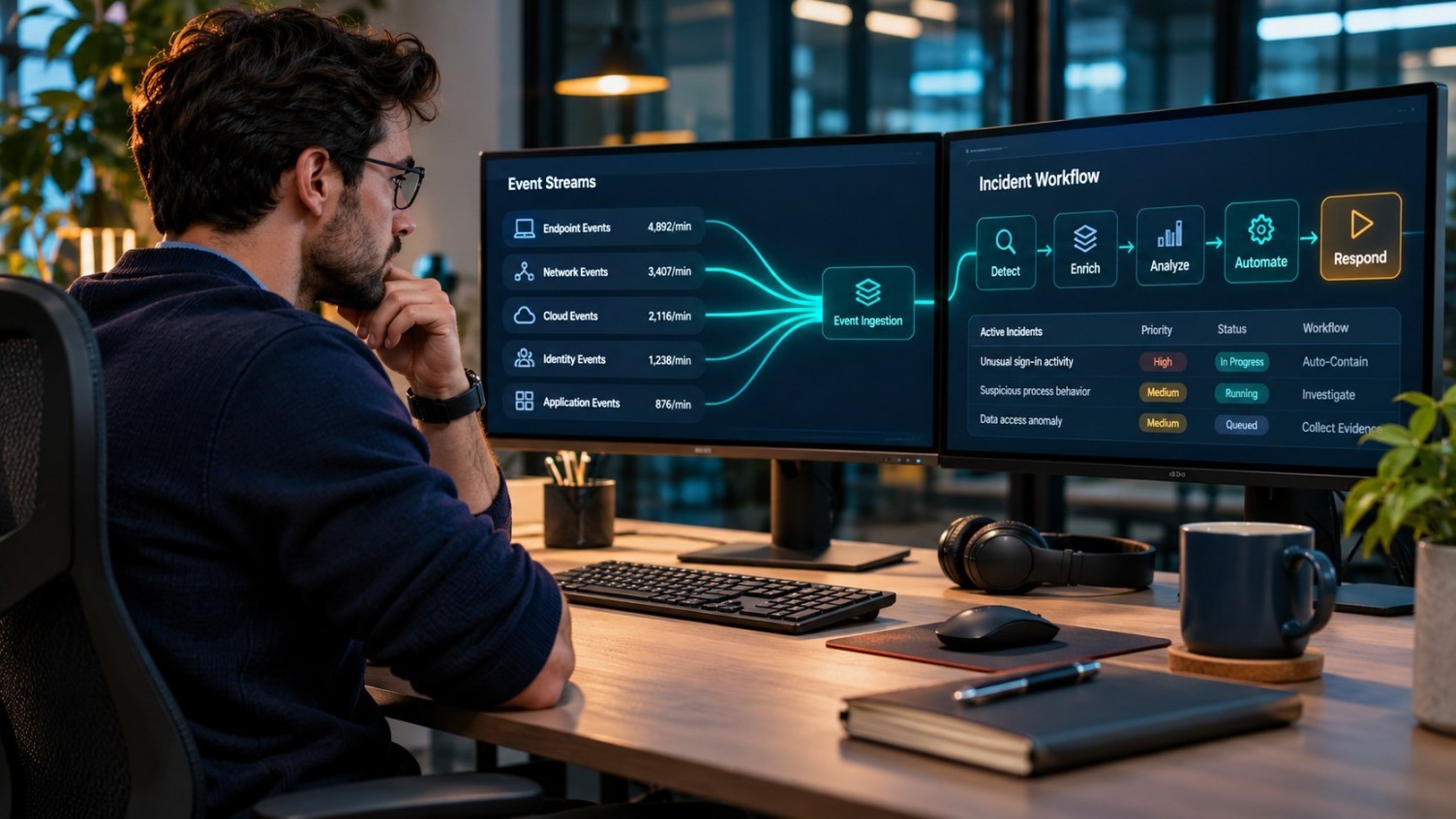
If a security engineer spends every morning checking whether last night’s alerts were duplicates, collecting more logs will not solve the problem. Start by deciding which threats matter to the business, which data can reveal them, and what your team can safely do once it detects them.
What SIEM and SOAR do differently
A SIEM collects and correlates security events so teams can see patterns across systems. SOAR connects those detections to a response workflow. A suspicious message might trigger automated collection of sender details, URL analysis and ticket creation. Suspending a business-critical account is a different decision: the workflow should respect the organisation’s approval rules and offer a way to recover from an incorrect action.
How CyberSeal designs around your stack
CyberSeal’s managed SIEM and SOAR service covers log ingestion and health, detection engineering, noise reduction, and playbook automation. Sources can include firewalls, endpoint tools, cloud platforms, identity and SaaS applications. The team maps detection logic to threats such as those documented in MITRE ATT&CK, then tunes it around what is normal in your environment. Monthly reviews can bring coverage, alert volumes and response performance into the same conversation.
From discovery to delivery
- STEP 01
Choose the first use cases
Rank the incidents you want to detect, such as account misuse or malicious email. Identify what evidence is available for each.
- STEP 02
Bring in the right logs
Onboard the relevant sources, validate timestamps and field mappings, and agree who owns broken feeds.
- STEP 03
Test before automating
Run a playbook in a controlled setting. Start with evidence gathering, then introduce approved actions such as host isolation where appropriate.
- STEP 04
Maintain with the customer
Review false positives, workflow failures and new use cases with the customer’s analysts and system owners.
What to check: Start with one playbook that removes repetitive work. Prove its inputs, approvals and rollback before making it a template for other incidents.
Practical details and examples
Build a useful log plan before buying more capacity
Start with a table that connects each incident scenario to a source of evidence. If an attacker uses a stolen account, you may need sign-in history, privilege changes and activity from the relevant SaaS service. For a compromised workstation, endpoint process information may matter more than a high-volume log feed that only records routine activity. For each source, agree an owner, expected event fields, retention needs and how the team will know that collection has stopped. Work out what information can be excluded or masked under your data-handling policy.
This helps when ingest or storage costs become a constraint. Rather than ingesting every event immediately, CyberSeal and the customer can agree what is needed for the first use cases, validate the source and expand coverage from there. Ask the solution architect to explain what a missing field would mean for a detection and how to check it after an application upgrade. If the customer has reporting requirements, identify the evidence the organisation needs to retain and who should be allowed to see it.
Example: A phishing playbook with a human decision
Imagine several employees report the same suspicious message. A reasonable initial workflow groups the reports, gathers message metadata and puts the relevant information in one case for an analyst. It might also check whether the sender or URL is already known to the organisation. Where supported, the team can connect mailbox tooling to search for other copies. The goal is to remove duplicate work and show enough evidence for the analyst to choose a response.
Removing email across the company or suspending a user can affect real work. Specify when an analyst must approve an action, which accounts are excluded from automatic handling, and how to restore something that was removed incorrectly. Include failure cases in testing: a missing mailbox permission, a slow integration, or a case that times out after a partial action. A playbook that succeeds when every system is available is only part of the job. The customer also needs an escalation route when automation cannot complete the work.
Decide how rules and playbooks change after launch
Detection content needs maintenance. A rule that watches a particular event field can quietly stop working after a platform update. A broad rule may also generate noisy alerts during a normal maintenance period. Agree how CyberSeal and the customer will approve rule changes, retain previous versions where possible and test the results before expanding deployment. For the most important detections, keep a documented test event or safe rehearsal that can be run again after changes to log sources.
The same applies to automation. Give each playbook an owner and record its dependencies, permissions and fallback procedure. In a customer review, ask which workflows saved analyst time, which cases required manual intervention and where the team is still waiting on access or data. When an application owner says a normal workflow is triggering an alert, capture the exception and its expiry rather than disabling the rule for everyone. Tie changes to the incident patterns and business systems the customer actually cares about.
What a sensible handover includes
The design-to-operations model translates into a small set of artefacts for this service: a list of connected sources, a catalogue of agreed detections, runbooks for failed feeds and automation errors, and a summary of which roles can approve production actions. Review the customer-approved implementation plan against what was deployed. If an integration was deferred, name the owner and document what risk or visibility gap remains. Give both parties a way to see which version of the playbook is running.
For the handover test, choose a scenario from the initial scope. Produce an authorised test event, confirm it arrives, check that the rule creates the right case and verify that the analyst can see the evidence they need. Follow the documented path when an integration is unavailable. When these steps are visible to the customer, it is easier to agree what managed support covers and what the internal team still owns. Use the first service review to decide which new use case comes next, rather than expanding every source at once.
A useful question to ask a provider
Ask to see one workflow from log source to response, including the last time it failed in a test and what was changed. The answer should connect the tools, the analyst and the system owner. Also ask whether the proposal accounts for log costs, retention and permissions. Those details affect how the service will work long after the demo has ended.
Frequently asked questions
Does this replace a managed SOC?
No. SIEM and SOAR improve the tooling and workflows. Agree separately who monitors alerts, investigates incidents and owns response.
Can we reuse an existing SIEM?
Make tool compatibility and log access part of discovery. Where the platform is suitable, tuning the existing deployment may be more useful than replacing it.